
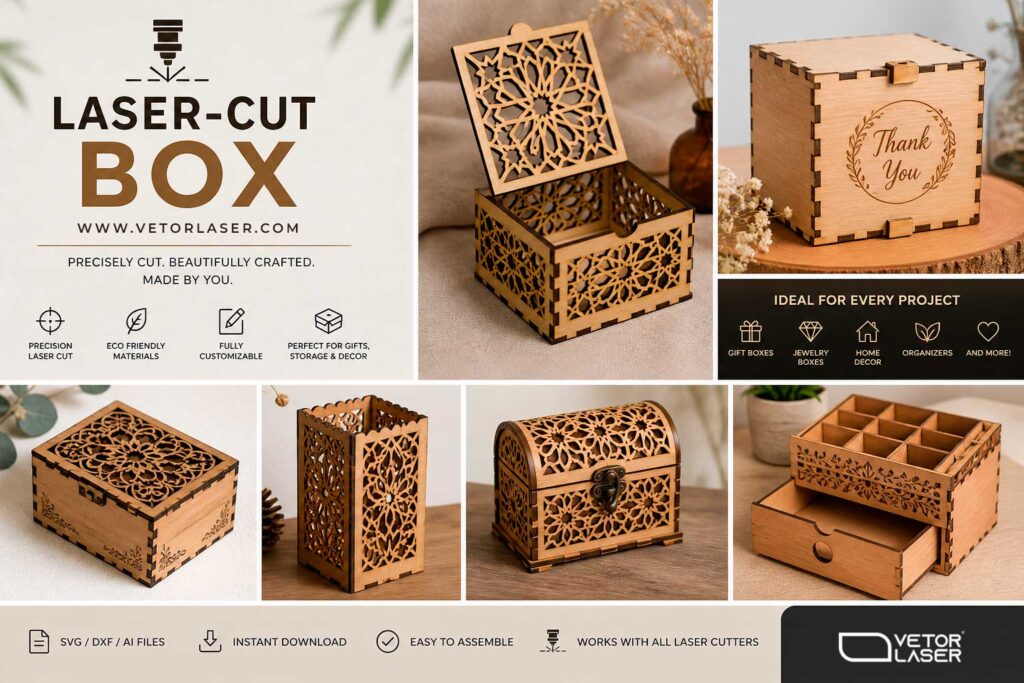
If you’re looking to create a laser cut box, you’re entering one of the most profitable and creative niches in digital fabrication. From decorative storage to personalized gift packaging, laser-cut boxes are in high demand.
In this guide, you’ll discover the best programs for designing laser cut box files and the top free websites to generate ready-to-cut box designs online.
Why Laser Cut Boxes Are So Popular
A well-designed laser cut box combines precision, customization, and visual appeal. Makers, hobbyists, and small businesses love them because:
- They are easy to customize
- Files can be reused and sold
- High perceived value with low material cost
- Perfect for MDF, plywood, and acrylic
Best Software for Creating Laser Cut Box Designs
Adobe Illustrator
- Industry-standard precision
- Full control over layers and cuts
- Supports all major laser formats
Corel DRAW
Very popular in the laser cutting community, especially with machines like Glowforge and Epilog.
- Easy integration with laser machines
- User-friendly interface
- Great for parametric box design
Inkscape
- 100% free and open-source
- Supports SVG perfectly
- Large community and plugins
Fusion 360
- Parametric modeling
- Precise measurements
- Ideal for engineering-style boxes
Best Free Websites to Generate Laser Cut Box Designs
BOXES.PY
One of the most powerful online tools for creating laser-cut box designs.Features:
- Fully parametric box generator
- Export to SVG
- Multiple joint types
MakerCase
Extremely easy to use for beginners creating a laser-cut box.
Features:
- Simple interface
- Custom dimensions
- Instant SVG download
Templatemaker.nl
Great for creating foldable packaging-style laser-cut box designs.
Features:
- Unique box styles
- Custom templates
- Free downloads
Keadic Box Generator
A lesser-known but useful generator for quick laser-cut box layouts.
Pro Tips for Creating a Perfect Laser Cut Box
- Always account for kerf (material removed by laser)
- Use tabs and finger joints for strong assembly
- Test your design with cardboard before final material
- Optimize file colors (cut vs engrave layers)
Creating a laser cut box has never been easier thanks to modern design software and free online generators. Whether you’re a beginner using Inkscape or a pro working in Adobe Illustrator, the possibilities are endless.
If you want your laser-cut box business to actually stand out (and not get buried among generic designs), you need product ideas that combine utility + personalization + visual appeal. Basic boxes sell… but purpose-driven boxes sell much better.
Start simple, test often, and soon you’ll be designing professional-grade laser-cut boxes ready to sell or showcase.
Leave a Reply